


Unlock Bootloader and Install TWRP without Wait on POCO X2
- Sourabh

- Apr 21, 2020
- 4 min read

Poco X2 is Poco`s successor to its 1st So-called flagship killer, Poco F1.
But this time POCO India took a step back from using flagship processor in its device instead they used new Snapdragon 730G.
Today I will Guide you how u can unlock your bootloader without waiting and with waiting officially for Poco X2, and also I will teach you how you can install TWRP custom recovery on your POCO X2.
/*
 * I am not responsible for bricked devices, dead SD cards,
 * thermonuclear war, or you getting fired because the alarm app failed. Please
 * do some research if you have any concerns about features included in this ROM
 * before flashing it! YOU are choosing to make these modifications, and if
 * you point the finger at me for messing up your device, I will laugh at you.
 */
UNLOCKING AND INSTALLING TWRP WILL ERASE ALL YOUR DATA ON THE DEVICE, CONSIDER BACKING UP BEFORE YOU START THE PROCESS.
Officially Unlock The Bootloader (With Wait Time )
1. Open your device, Go to Settings > About Phone > All Specs
Now Tap 7 times on MIUI version, Until you see a pill message saying that Developer option has been enabled.

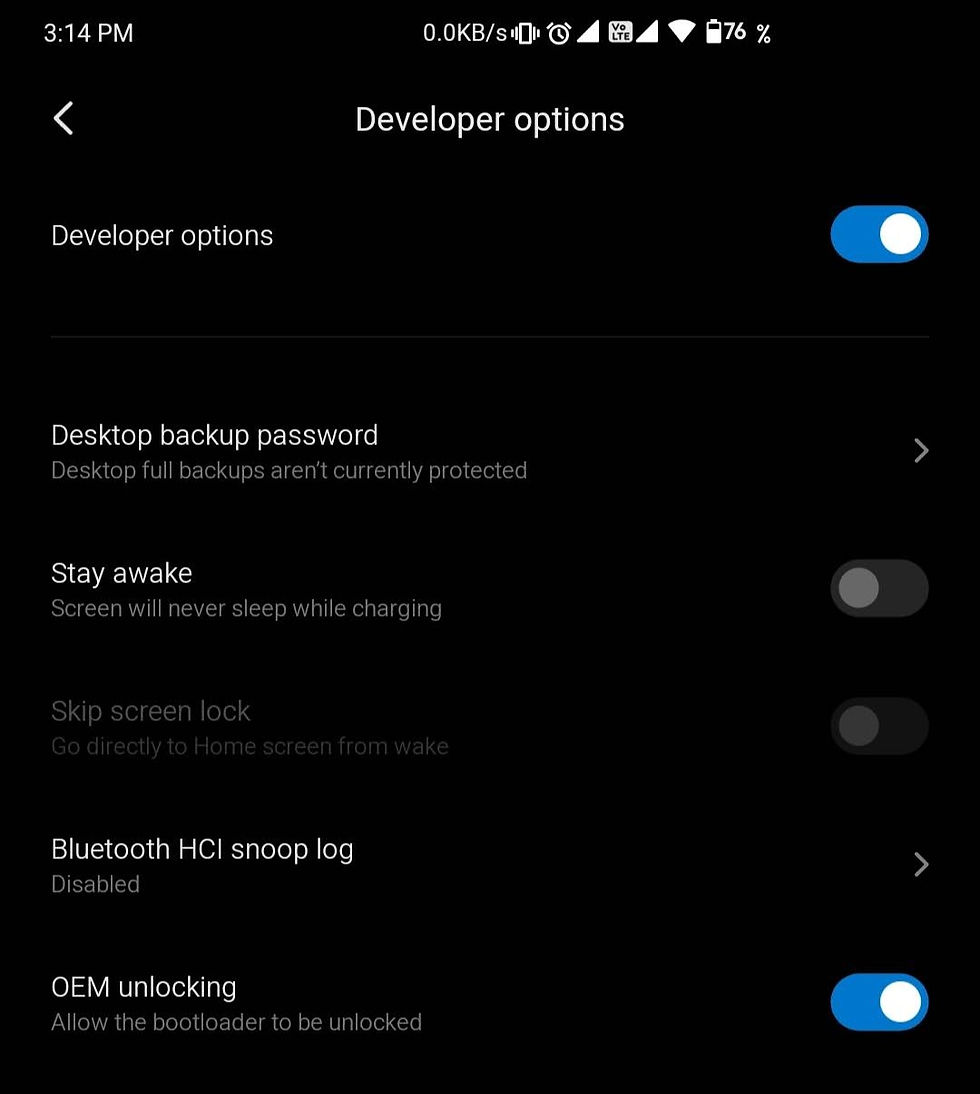
2. Now go to Settings > Additional Settings > Developer Options and
Enable "OEM UNLOCKING"
3. Go Down in developer Option into " MI UNLOCK STATUS" option
Click on " Add account and Device" and allow all the options.

4. Now turn on your PC and go to Mi Unlock Website
and sign in with your account and download the unlock tool.

5. Open The Downloaded Zip file and Open "MiFLash_unlock.exe"
Click On Agree and Sign In with the same mi account you did on your POCO X2.
7. Click on the tiny settings icon in mi flash to open a window and install the drivers by clicking the second option as "Click button to install Drivers". For a Good success, probability restart your PC after you install Drivers.

8. Now On your mobile phone, Switch off the mobile phone and go to fastboot mode by pressing and holding Volume Down and Power Button Together for a while until you feel a Vibration.

9. Now connect you POCO X2 to your PC with a USB Cable and try to avoid USB 3.0 Port, Many issues have been reported with USB 3.0 port.
10. Now on your PC, you will hear a sound as soon as the device is properly connected.
11. Click Unlock in the Mi Unlock Window and you will get a message that you have to wait for certain hours before you can unlock your device.

12. Don't remove your mi account from the device during this period, When the wait time is over you will have to repeat Unlocking from your PC. and this time your device will unlock.
Unofficially Unlock The Bootloader (Without Waiting)
1. Open your device, Go to Settings > About Phone > All Specs
Now Tap 7 times on MIUI version, Until you see a pill message saying that Developer option has been enabled.
2. Now go to Settings > Additional Settings > Developer Options and
Enable "OEM UNLOCKING"
3. Go Down in developer Option into " MI UNLOCK STATUS" option
Click on " Add account and Device" and allow all the options.
4. Now turn on your PC and go to Mi UNlock Modded Download
5. Open the modded tool and then click on the tiny settings icon in mi flash to open a window and install the drivers by clicking the second option as "Click button to install Drivers". For a Good success, probability restart your PC after you install Drivers.
6. Now On your mobile phone, Switch off the mobile phone and go to fastboot mode by pressing and holding Volume Down and Power Button Together for a while until you feel a Vibration.
7. Now connect you POCO X2 to your PC with a USB Cable and try to avoid USB 3.0 Port, Many issues have been reported with USB 3.0 port.
8. Now on your PC, you will hear a sound as soon as the device is properly connected.
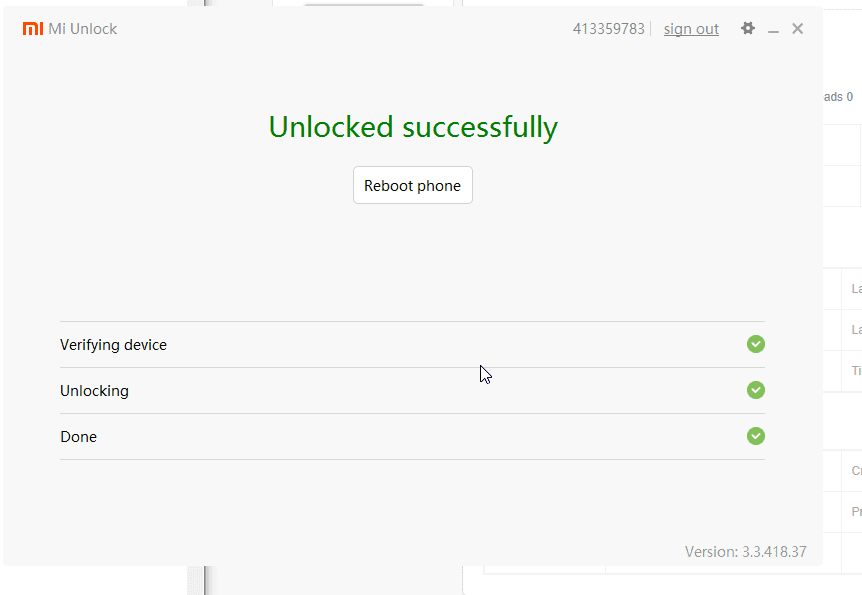
9. Click Unlock in the Mi Unlock Window and you will get a message that you have Successfully Unlocked the bootloader of the device.
And You are DONE!
Now Its Time to install TWRP Custom Recovery To Your Device.
The official TWRP for POCO x2 is not out yet, A modded Recovery is being used by developers. But it is Stable to be used for now.
Downloads
Download the TWRP.img
Download the Boot.img
Download Platform Tools.zip
Now Once you have downloaded and extracted all the files,
1. Open platform-tools Extracted folder, and on the address bar type cmd.


2. Connect you device to your pc in fastboot mode. (hold Volume down and power while device is switched off)
3. Now type in the cmd window
fastboot devices
This will show a random hardware ID which justifies that your device is successfully connected to your pc and set up.
Now,
fastboot flash recovery "twrp.img"
Here in the place of twrp.img, you have to drag the TWRP file you downloaded to the cmd window.
this you will get a message saying "write complete"
4. Now type
fastboot boot "twrp.img"
Here in the place of twrp.img, you have to drag the TWRP file you downloaded to the cmd window.
Now your device will reboot to recovery mode, and your TWRP will be loaded.
But Wait , Process isn't complete yet.

Now when phone boots into the tarp, move the "boot.img" file to your mobile phone via USB cable and then
5. On your mobile go to install option, Select "Install image" option in the bottom.
and the choose the boot.img option and when after clicking ok Yo will be asked the partition where to install, select Boot Partition and swipe to complete the process.

You are DONE
Feel free to ask any questions below in the comments or via email.
If you find this guide useful then please share the page.
Comments