


A Beautiful android Icon Pack - Raphael Icon Pack
- Sourabh

- Apr 19, 2020
- 2 min read
I Started Building this icon pack as i had a lot of freakiness for changing the looks of my homescreen.
I had used lots of Icon packs, so i decided to build one for the store.

Download -
Features.
User-Friendly Interface :
- Easy apply to your launcher - Icon search and showcase by sections - Instant icon requesting
RAPHAEL ICON PACK :
- 100s of Handmade Icons - Used Google Material colors - Professional highest quality design - High resolution and clean looking icons - Dynamic calendar (icon changes every day) - Alternative icons for many apps with different colors and styles
Android icon pack that contains fresh handmade icons for your device.
Workaround.
YOU WILL NEED A CUSTOM LAUNCHER LIKE NOVA FOR ALL OF THE FEATURES TO WORK PROPERLY.
Apply
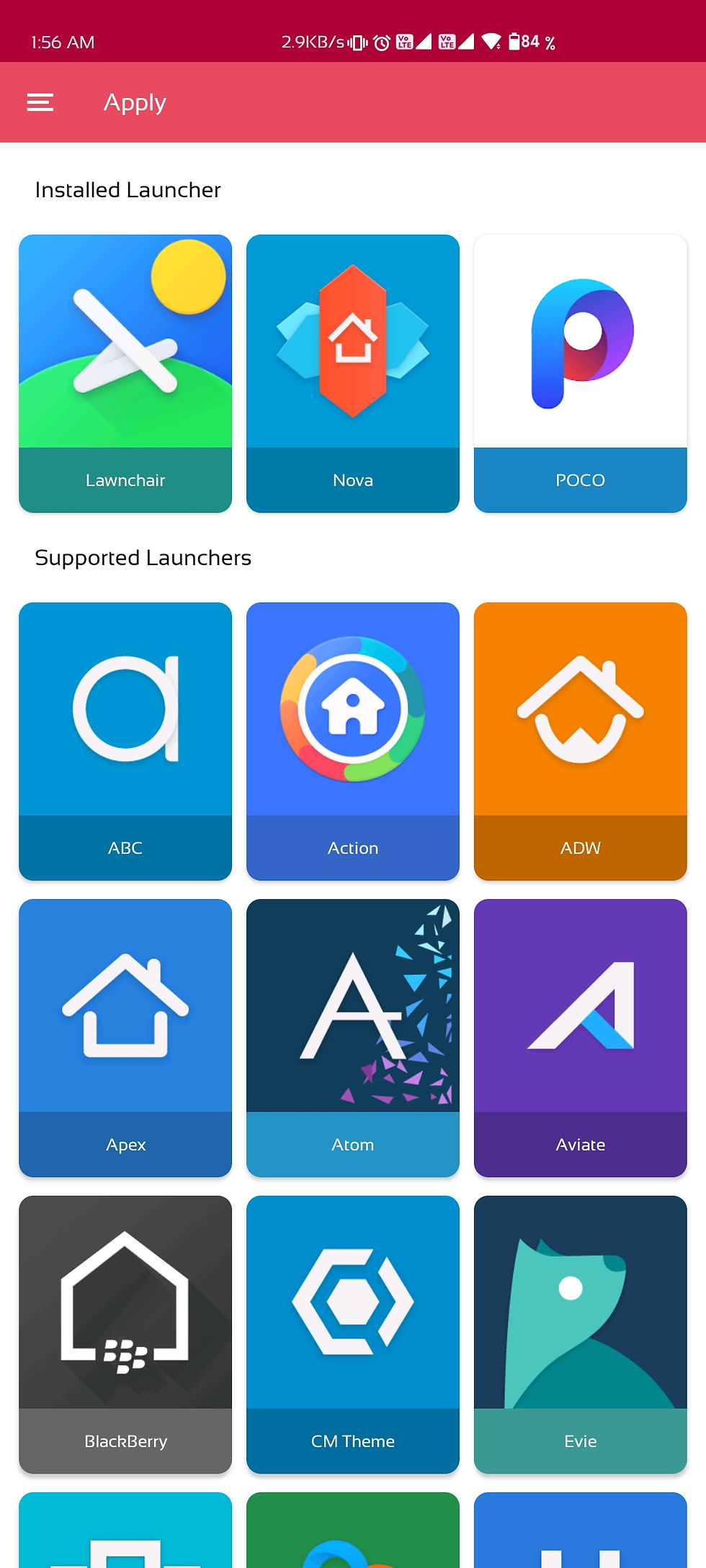
In the app itself there is an apply section, you will see you launcher listed there, if you see any launcher in the installed section , click it and Raphael will be applied on your device.
If your launcher is not listed in the list, probably your launcher have an option to change theme aur icons in its settings, for it To work.
1. Hold or Two finger pinch on your home screen untill you see a settings option in the bottom right.
2. Select "Icon pack" option in the settings
3. Choose Raphael, and you're done.
If still you are unable to apply on your homescreen try a custom launcher, Suggested Lawnchair - https://play.google.com/store/apps/details?id=ch.deletescape.lawnchair.plah
Icon Management
- Sending an icon request - open Raphael → Left Swipe Menu → Icon Request → Choose your apps → Tap to Send request
- Long press icon to replace on homescreen → Icon options → Edit → Tap icon → Select Raphael → Press arrow on the top right to open icons -Swipe to access different categories or use search bar to find alternate icon, tap to replace, done!
Wallpaper
Open Raphael → Left Swipe Menu → Wallpapers

Widget
Long press your homescreen to see a widget option, Swipe down to Raphael, and drag the widget to you homescreen

Over 30+ launchers supported:
- Nova, GO, Sony, Mini, Holo, L, Apex, Action Launcher 3, Arrow, Atom, Aviate, Cyanogen, Epic, EverythingMe, Hola, Inspire, KK, Lucid, Nemus, Next, Nine, Smart, Solo, TSF, Themer, LG Home, CM Theme Engine, Unicon and XGELS - For Launchers not included, Simply open settings of your launcher and choose icon pack as Raphael
Project At GitHub :
Contributors are Welcome - https://www.github.com/srvraj311/raphael-icon-pack
Follow Guide here to contribute in the project.
Contact:
For any suggestions or query : Join My telegram Channel - https://t.me/raphaeliconpack For Beautifull Homescreen setups.
Instagram -https://www.instagram.com/_____sourabh_______ Mail - sourabhraj311@gmail.com Telegram - https://t.me/srvraj311
Note :
IF YOU HAVE ANY PROBLEM OR MISSING ANY ICONS PLEASE LET ME KNOW THROUGH ANY OF THE LINKS. DON'T DROP A BAD REVIEW FOR IT, IT COULD BE SORTED RATHER.
Special Thanks To - Candybar Dashboard
Thanks For Showing Intrest.


Great work.